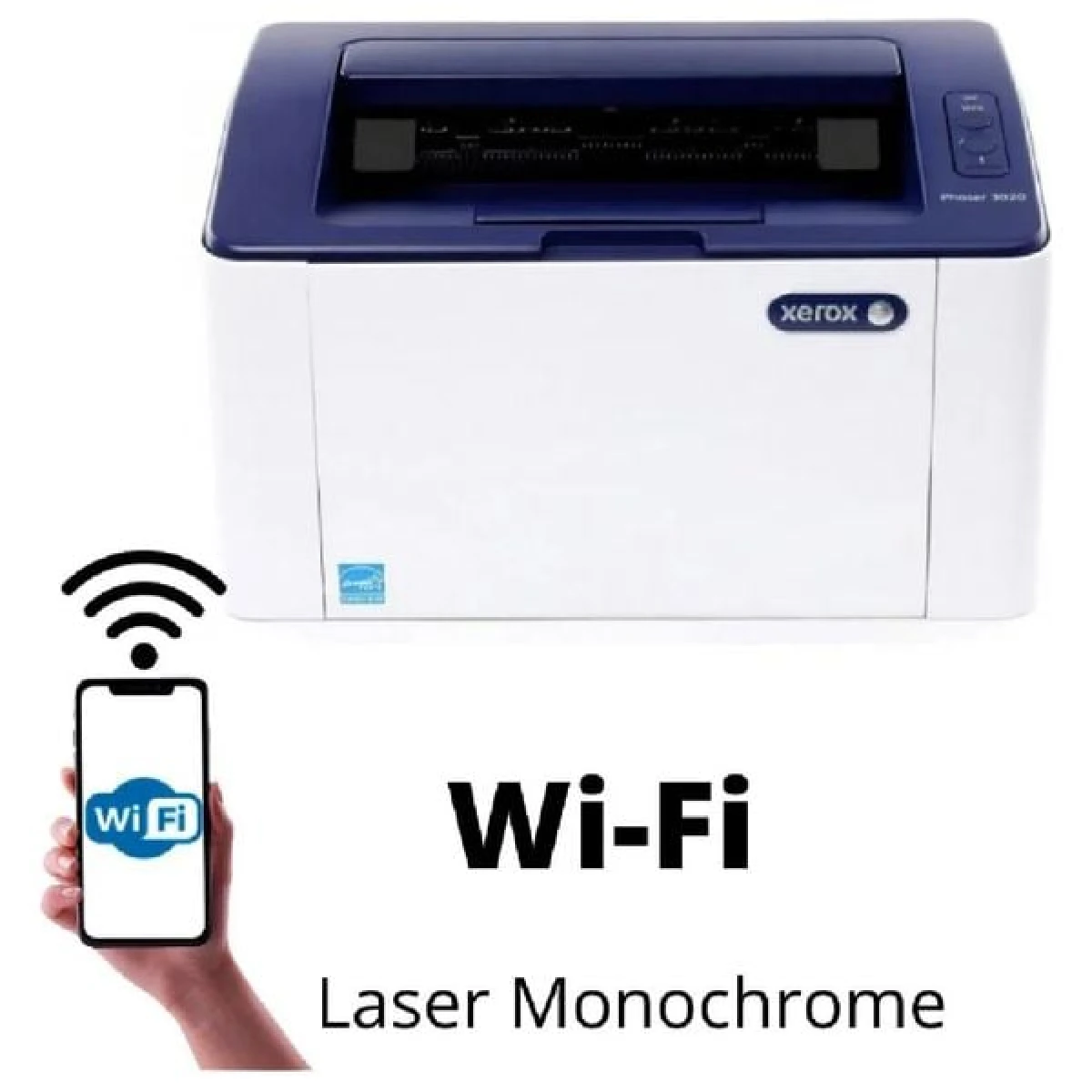
Xerox WorkCentre 3020 Compact Wireless Mono Laser All-in-One Printer
The Xerox WorkCentre 3020 is a monochrome laser printer built for printing in busy Jordanian offices and homes. If you’re comparing options and keep landing on the Xerox WorkCentre 3020, here’s exactly what it offers, who it fits, and what to expect once it’s on your desk.
Xerox designed the WorkCentre 3020 to balance speed, running cost, and day-to-day reliability. Rated for a monthly duty cycle of 15000 pages, it’s built to keep up with real daily workloads, not just light home use. It connects over USB, Wi-Fi, Wi-Fi Direct, and supports mobile printing through Apple AirPrint, Mopria, Xerox Easy Wireless Setup.
Xerox WorkCentre 3020 Full Specifications
- Print Technology: Laser
- Print Color: Monochrome
- Print Speed (Black): 20 ppm (A4) / 21 ppm (Letter)
- Duplex Printing: No
- Maximum Print Resolution: 1200 x 1200 dpi (interpolated)
- Input Tray Capacity: 151 Sheets (dual tray)
- Monthly Duty Cycle: 15000 pages
- Black Page Yield (Standard): 1,500 Pages
- Display: Button Panel
- Power Consumption: 313 W (Active)
- Warranty: 1-Year Limited Warranty
Key Features
- Print and scan in one device
- Wireless connectivity included
- Compact, spacesaving design
- Affordable mono laser printing
- Reliable everyday performance
Why Choose the Xerox WorkCentre 3020
Beyond the spec sheet, what makes the Xerox WorkCentre 3020 worth buying is how little it asks of you once it’s set up. The Xerox WorkCentre 3020 works with genuine Xerox 3020/3025 toner cartridges, and Nasaq stocks the full range of compatible ink and toner so you’re never stuck waiting on a refill. Every unit Nasaq ships is inspected before it leaves our showroom, and it comes backed by 1-Year Limited Warranty.
Ideal For
- Home offices and students
- Small businesses on a budget
- Basic everyday printing needs
- Singleuser desk setups
Xerox WorkCentre 3020 — Frequently Asked Questions
Is the Xerox WorkCentre 3020 good for daily office use?
Yes — the WorkCentre 3020 is built for consistent daily printing rather than occasional use.
What consumables does the Xerox WorkCentre 3020 use?
The Xerox WorkCentre 3020 works with genuine Xerox 3020/3025 toner cartridges, and Nasaq stocks the full range of compatible ink and toner so you’re never stuck waiting on a refill.
Looking for other options in the same category? Browse Nasaq’s full LaserJet Printers lineup for more Xerox and competing models side by side.
For full manufacturer documentation and driver downloads, visit the official Xerox website.
Order the Xerox WorkCentre 3020 online at nasaq.shop or visit our showroom in Amman to see it in person before you buy.
The Xerox WorkCentre 3020 remains one of Nasaq’s most requested laserjet printers for monochrome laser printer needs across Amman and the rest of Jordan, thanks to its balance of 20 ppm (A4) / 21 ppm (Letter) print speed and low running costs.
The Xerox WorkCentre 3020 remains one of Nasaq’s most requested laserjet printers for monochrome laser printer needs across Amman and the rest of Jordan, thanks to its balance of 20 ppm (A4) / 21 ppm (Letter) print speed and low running costs.
The Xerox WorkCentre 3020 remains one of Nasaq’s most requested laserjet printers for monochrome laser printer needs across Amman and the rest of Jordan, thanks to its balance of 20 ppm (A4) / 21 ppm (Letter) print speed and low running costs.
The Xerox WorkCentre 3020 remains one of Nasaq’s most requested laserjet printers for monochrome laser printer needs across Amman and the rest of Jordan, thanks to its balance of 20 ppm (A4) / 21 ppm (Letter) print speed and low running costs.




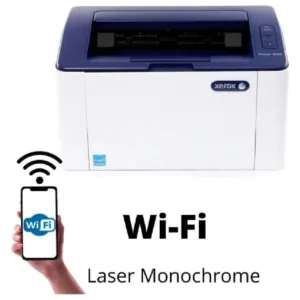 Xerox WorkCentre 3020 Compact ...

Reviews
There are no reviews yet.